You can create ASCII flat files manually or automatically using the command line arguments and Windows Scheduler. Read more in:
Before creating ASCII flat files, make sure all settings are defined correctly. The following options can be defined:
| • | The directory where you want to save the resulting files. See Configuring Program Options. |
Follow the instructions below to create ASCII flat file(s) from EDI file(s).
| 1. | Open an EDI file or directory containing the EDI files in the HIPAA Enrollment Master. Read more in Processing a Benefit Enrollment File, Working through an Entire Directory.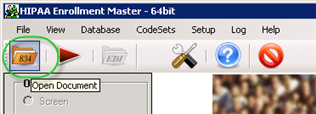 The "Open" button 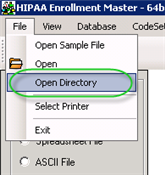 The "Open Directory" menu |
| 2. | Select the "ASCII" option in the "Output Mode" block. The "ASCII File" option |
| 3. | Click on the "Run" button. The "Run" buttons |
| 4. | The "Processing Results" window displays the report. You can find the resulting XLS, XLSX or ODS files in the specified folder. The "Processing Results" window |
| 5. | Open the resulting file to view the data. A single record as ASCII flat file |
The HIPAA Enrollment Master uses a tab ASCII(9) delimited flat file with CarriageReturn/Linefeed ASCII(10) and ASCII(13) as line end. The first line contains column names, the second and all following lines list the information.